Mewate - Grab Text and Regex Patterns from Web Pages
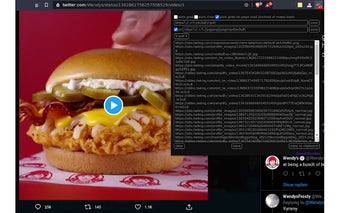
Mewate is a Chrome add-on developed by WKLaume that allows users to extract text or regex patterns from web pages. This powerful tool is useful for various purposes, such as determining the number of images on a page, identifying the domains the page is using or pulling from, and accessing obfuscated files or media.
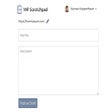
With Mewate, users can easily grab text or regex patterns from either the page source or the network calls. The add-on provides a simple and intuitive interface for users to input their desired patterns and extract the relevant information. Whether you're a web developer, researcher, or just curious about the inner workings of a webpage, Mewate can help you obtain the data you need.
The latest version of Mewate, 1.2, includes a fix for variable setting in XHR patterns. Additionally, version 1.1 addressed the issue of default values not being displayed in the popup menu. The update also improved event handling, ensuring that the popup menu functions properly even on pages with chrome:// URLs, such as the extensions page. Furthermore, any manual changes made in the popup menu fields now highlight the save button, indicating the need for users to save their changes for persistence.
Mewate is a free add-on available on the Chrome Web Store. It falls under the category of browsers and specifically belongs to the subcategory of add-ons and tools. Whether you're a web professional or an enthusiast, Mewate is a valuable tool for extracting text and regex patterns from web pages.